Search the Community
Showing results for '"for free"'.
-
Gerne Meinen anderen post abchecken und dort Feedback hinterlassen. https://cstate.to/topic/14202-wer-will-carden/ Wuerde mich Freuen. FREE 2ds Shop Free Bin non MCS Denk an USA residential proxy etc. USA muss am savsten durchgehen. 51636298 Westpac Banking Corp World eGifter.com Gift Cards Best for cashing out, 2D gateway
-
FREE Non VBV BIN: Bank: JPMORGAN CHASE BANK, N.A. Type: VISA|DEBIT|CLASSIC VIEW LINK BELOW https://pasted.pw/view.php?id=121828 2ds Shop: calitheshop.com // Great for testing cards I use it alot ➖➖➖➖➖➖➖➖➖➖➖➖➖➖➖➖➖➖➖➖➖➖➖➖➖➖➖➖➖➖➖➖ I wanna start doing a lot more like these if you need something specific please write in comment below. ich möchte anfangen viel mehr von solchen sachen zu machen wenn ihr etwas bestimmtes braucht schreibt es mir bitte unten in die kommentare
-
× Nie wieder DRECKS PREISE ZAHLEN × + Bezahlt keine Wucherpreise für SMS Empfang + + Leute die für 7€ oder mehr eine SMS Empfangen sind richtige Fraudler.. kleine Noobs... Holt euch bei http://anosim.net eine Nummer und verifizier jede SMS die du benötigst. Billiger, bessern, schneller. An alle die SMS-Empfang anbieten, beiseite mit euch sucht euch eine neue Niesche ihr Fraudler. Peace out und schönen Abend. Ihr koennt auch Öffentliche Nummern nehmen, aber hier aufpassen da haben ALLE ZUGRIFF DRAUF die, die Seite Besuchen koennen, jeder kann jede SMS sehen! Kostenlose Nummern gibt es hier: https://anosim.net/de/freenumbers/ An alle die SMS EMPFANG anbieten, beiseite mit euren Preisen. Viel Spaß mit der Seite ! × Wie ihr euch BEDANKEN könnt × https://anosim.net/register?rfc=vG6p5xe8kO5e Empfehlunscode: vG6p5xe8kO5e
-
erver: 156.246.158.27⧉ HTTP/SOCKS5 Ports: 64430⧉/64431⧉ Username: 9MqYf3iuJ⧉ Password: zhRSj6RhU⧉ | Region LATVIA | VALID 5 DAYS
-
 Welcome To the eWhore beginner guide, from beginner to pro READ This: I do not commit to any illegal activities, I am only here to teach strictly for educational purposes only! I am not responsable for anything you do with the information I provide to you. Any discussion about manipulating people is highly prohibited. By reading any further you accept the statements stated above. Hello, I am dopepizza, and today i am going to teach you how to eWhore! Tip: Use ctrl + f or cmd + f To search the thread Table's of content [+] What is eWhoring [+] What payment services to use and how to receive money [+] What prices for what you are selling [+] How to make unsaturated e-Whore packs / gather them [+] How to photoshop any name on your eWhore [+] How to get traffic [+] How to talk like a eWhore [+] What is a time waster and how to i weed them out. [+] General eWhore tips and tricks [+] 70 eWhore packs, video’s and pictures! [+] How to eWhore on KIK [+] How to eWhore on CS:GO [+] How to eWhore using a VWC [+] How to eWhore in chatrooms [+] How to eWhore on craigslist [+] How to get money off a customer that was scammed by another e-Whore [+] Final words What is eWhoring e-Whoring sexual manipulation social engineering technique, this is often used in chatrooms, IM's, KIK and more. What payment services to receive payments You can use a lot of payment services such as PayPal Amazon Gift Cards Crypto currency's (example: "Bitcoin, Litecoin, DogeCoin") Skrill Perfect money WebMoney SEPA The best Payment service to use is PayPal, you need to verify it and upgrade to a business account, i have used PayPal a lot and it works like a charm. The second best is to use AGC (Amazon Gift Card). A lot of people use it and you can buy a lot of cool stuff with it or exchange it to another kind of currency. Other Payment services i listed aren't used that often, although BTC (Bitcoin) gets used by some customers you are going to get. How to receive money Receiving money is very easy! With PayPal, you need to give your email address and the same goes for Amazon Gift Cards, there is a difference though. With PayPal, you receive everything automatically. With AGC (Amazon Gift Card) you need to go to your email and claim the card in order to receive the payment. What prices for what you are selling So, you wanna sell nudes, these are the prices that are mostly used, don't sell 200 nudes for $10 because that will fuck it up for others! note: I am not selling nudes here, these are prices you can use while eWhoring Prices for nudes $20 for 30 nudes $40 for 65 nudes etc. Prices for video's 10 minutes for $20 20 minutes for $35 etc. Just keep your prices high and look what is best, you can ask the guy how much he is spending, and then you can choose how many video’s or nudes you give for it. How to make unsaturated eWhore packs These methods are gonna help you make awesome unsaturated e-whore packs! These are some really good and easy ways! You will have to get the plugin called DownThemAll Too get it for FireFox, download it down below - https://addons.mozilla.org/nl/firefox/ad...wnthemall/ - And if you want to do it web based http://saveallimages.com/ This will make everything a lot easier, you can download all pictures of a website in no time! awesome right? links pasted into pastebin, because i don't wanna break rules for direct adult website linking, please say thanks or something among those lines in the thread! website number one website number 1 is a great website, there are a lot of Female & Man, sign up and browse around a little, find someone with a lot of pictures, and DownThemAll! Girl on website number one Just look at this one already^, a lot of video’s & Pictures non nude and nude, this is one of the best websites around! It is hard finding the good one sometimes, there are a lot of freaky girls on there! The only thing that is disappointing is that you have to pay with PayPal to watch the video’s, but hey, collecting picture packs is free which is awesome! I will give this method a solid 7/10 Because there are a lot of girls & boys on there, they are all 18+ confirmed, so no childporn bullshit!and you can find anything on website number one website number two Is is a very good website to collect your e-whore packs? Why are you asking, because these people are obsessed, with like 500 pictures off the same girl, and video’s, this website is perfect for DownThemAll, why are you asking, because all pictures are in a high resolution, you will download all the pictures in high resolution instantly! Girl from website number two Just look at this girl right there^ she has so many pictures already, you can download them instantly and sell them! And the best thing might be that everything free is! You don’t have to pay shit, even for the video’s, which is awesome, this website is awesome! I give this method a solid 9/10 becaue all the girls are over 18+ and people are obsessed with the same girl, You can get picture packs here Instantly. Go to the website and DownThemAll! website number three I am going to announce one fucking thing to you, website number three is the best place for gathering e-whore packs ever! It has it all dude, all the pictures, GIFS and videos, this website is the best one of the list! You can easily find a girl and DownThemAll! Just visit the website and see it for youself! For example, this girl! > Girl from website number three She is really fucking hot and just look how many pictures there are from her, and again! No PayPal, it is all free homie! This is the place to be for quick e- whore packs! I give this website a big ass 10/10 because it has it all, well sorted website, free and you can get free e-whore packs from website number three in no fucking time! website number four I just love this website, are you looking for a quick e- whore pack with pictures only? website number four is the website for you dude Not only for fapping purposes but mainly for e-whore packs, again! These people are obsessed with collecting a lot of nudes of the same girl! want a fast e-whore pack or a quick fap, go to this webite! -And, no Payment bullshit, all free- Just look at this hot chick! Girl from website number four Yea I know right, she is fucking hot, just like all the other chicks! I wanna give this site a good 7/10 Sadly it is images only at the moment. ohh well, it is a very good website for fast good e-whore packs, I should go there, if you need some! website number five this is an high quality website. and they are taken with a phone, so it is awesome as fuck for e-whoring on KIK! Just look at this girl, Girl from website number nine she fucking blew me away! -and no Payment and money bullshit, it is free!- I Give this method a solid 7/10! because it has a lot of pictures, awesome home page & free, you can get e-whore packs here no problem! How to photoshop any name on your eWhore It is really easy, will be adding GIMP later but now we are talking about photoshop CS6 1. Select your eWhore picture and use the exact brush https://gyazo.com/20aa4a0d84fee873eff3fea3f79810ac 2. Make a new layer and write any name you want, i will be using bob https://gyazo.com/415a0a647191b141b3a1e5e990bf7ba0 3. Then go to edit/transform/warp https://gyazo.com/87f57d3270f722611c21fd8bfd750db0 4. Then warp the text to the boob size of your eWhore https://gyazo.com/a9bfc30e52f2d467b61a404f0652770e 5. Then save it as an PNG https://gyazo.com/daf4cbac5360afd578f68a248cc94087 This is the result https://gyazo.com/508d9ed75b15e29826a656b0a0660019 That's it How to get eWhoring traffic Getting traffic is easy, you just need to know where to get it, so i complied a big list for you so you can start getting eWhore traffic KIK kikhorny.com kiksexting.com kikfriendfinder.co.uk kik.me sexting.com findkikfriends.com kiked.com sextingforum.net sextbuddies.com kik-sexting.com hornysexting.net localsexting.com kikusers.com kikfriender.com kikfinder.com sextfun.com sextingonkik.com Snapchat sextingusername.com findsnapchatusernames.com sextingforum.net kiksexting.com snapchatsexters.com kiksnapme.com snapchatsex.ne findsnapchatfriends.com snapchatbuddy.com findsnapchatusernames.com sextfun.com sextwithme.net patch.com bestusernames.com Skype addmecontacts.com collarspace.com localsexting.com sextingusername.com sextingforum.net bestusernames.com Chat rooms adultchat.net teenchat.com omegle.com chatroulette.com javachatrooms.net kidschat.net chat-avenue.com How to talk like a eWhore If you wanna start eWhoring, you need to know how to talk like one, it is very easy. First of all, don't forget you are eWhoring, don't say stuff like thanks bro and stuff, i know this happens but try not too. You have to talk with a lot of x's This is a conversation you might have Stranger: Hey, i saw you on the site You: Yeah x, wanna buy pics and sext after?x Stranger: How do i know you are real? can i have a sample? You: Sure x You: (*sample*) Stranger: You look very sexy You: How much are you spending?x PP Stranger: around $20 You: for $20 i can give you 30 nudes and if you buy now i can add a couple more x Stranger: Okay x You: send money to [email protected] Stranger: money sent huney x (*You start giving nudes or what you have promised*) As you see it isn't very hard. How too weed out time-wasters We are talking about kik right here, but it counts for everything You have seen the classic time-waster, he wastes all of your time and annoys you a lot, it is kinda annoying because time is money! I will teach you in this thread how to spot a time-waster! 1. Most people from Africa and other poor country's aren't going to pay you, no offense. 2. Someone who asks for this kind of shit, Can i have some sample? Can i have some previews? I need a lot of samples before i buy! -- Giving one preview is okay! But if they ask for Some previews, block them because they are time-wasters! 3. People that ask things like, Can we just sext? Can we just trade? -- They are time-wasters, believe me! 4. people that want to sext and get pictures first and pay later. Those people are time-waster, most of the time they don't even have cash! 5. People that say that say this, I am so horny right now, can't we just sext and pics first? i am getting paid tomorrow, can't we have fun right now? I have a lot of money on my PayPal, if you make me cum i give you a lot of cash! 6. The guy that wants to see every part of your body! If you send a ass picture, and they want to see tits to before buying, Block them, because they are gonna jerk off and run of just like every other guy! 7. Teenagers If the guy is a skater, the guy is handsome or something among those lines, block them, they aren't gonna buy shit of you! 8. People that send a lot of dick pictures, From my experience, every one that sends a lot of dick pictures aren't gonna pay shit of you, i don't know why! 9. people with emoji in their names! 99% of the time they won't buy shit, believe me! 10, and last of all, if the conversation goes like this You: Hey, wanna buy pics and sext after?x Time-Waster: ok You: Block them, because they think that you are a bot, or they aren't interested! General eWhore tips and tricks I have compiled some tricks and tips for eWhoring Hide your webcam when you are VWC eWhoring, do this to hide your self when ManyCam fails When giving out previews, do not give out fully nude ones, give out teasers, and if they ask for more then say “If you want more you have to pay x” Use a VPN, it can be [censored] cloak or anything, but use a VPN or proxy when eWhoring Upgrade your PayPal to a business account, so you can sell a lot, name your company “selling stuff online“ If someone chargebacks, ask for money back and say “I deliver’d your virtual items” because payPal doesn’t care about virtual items Use FakeNameGenerator.com If more tips need to me added, tell me! 70 eWhore packs with matching video content Took me a solid 10 hours to compile and upload! http://pastebin.com/Zi328Nf4 Moved to pastebin because of character limitation. These are very good packs to use, most of them have matching GIFS and video's. How to start e-whoring on KIK e-Whoring on KIK is easy, you just need to know how to set it up Video version of installing. First, you need to download Bluestacks, it is available on mac osx and windows! You can download Bluestacks on https://www.bluestacks.com/ You need to install bluestacks 1. Picture one 2. Picture two That easy, you just installed bluestacks. Now, you have to use the search function Picture three And then, from there you can search for every app you want Picture Four Now, you have to download the following apps Firefox when you download Firefox, download the following app, KIK, but don't download it from the Playstore because you can't modify kik with fake camera Download a older KIK version here! Now install it, looks like this Now, make a KIK account after you have done all above, go to the search function off Bluestacks and search for, Fake Camera picture six You only have to install it, it is that easy! Thenyou need to get your eWhore pack, get your ewhore pack here Spoiler (Click to View) You need to directly download them from the bluestacks browser Now, my eWhore pack is downloaded Picture seven Now you need to download file manager Picture eight and thenyou need to download, easy UnRar https://imgur.com/HzwYaZA Now, open file manager and browse to downloads, and move your eWhore pack to DCIM and use easy unrar to unzip it Picture nine You are done, finished, now restart Bluestacks! a good tip, head over KIK settings and enable sent enter message key Picture ten now, You are done Now select a pic to send to TeamKIK to see if it worked. and thenit is token from the camera because of Fake camera Picture eleven You just installed KIK and now you can start eWhoring on it. How to eWhore on CS:GO here i am going to show you how to eWhore CS:GO skins, it is super easy, and this isn't a leak from this ebook (didn't even bought it) First you make a steam account here! Then you get CS:GO which is around $15, you can buy it with PayPal. Then you are going to change your avatar to a picture of your eWhore (none nude) here is a tutorial on how to change your cs:go avatar Spoiler (Click to View) Thenyou prepare your eWhore pack, you can get one of my 70 eWhore packs Get a eWhore pack here! Then, go too CS:GO and play around a little learn about CS:GO communication here! Then when you are in a game, You can shout out your eWhore Skype / KIK on the chat, click "T" to chat with other people, and you can chat with them too using steam chat. Loads of horny little kids will add you instantly Then when you have a good amount of customers, the eWhoring comes in part, it is like selling nudes on KIK for money but then for skins. Talking too them is easy, they will probably say shit like "You are so cute" "You have a boyfriend" "I kinda like you" That is the part you need to take advantage off, say stuff like I really love this game and i really need some csgo skins i will do everything for it, and get the guy horny with giving a lot of nudes Then go straight too the point, say something like well, I will show my tits for (skin your choice) :$ and sometimes they will agree and sometimes not The kids will buy because they want to see your tits / ass And if one kid doesn't work, a load of other kids will add you This is everything in steps 1. Get attention 2. get a load of kids to add you on Skype/KIK 3. make them thirsty and desperate for you 4. start the eWhoring process 5. get a load of skins 6. resell them 7. profit It is very easy and self explanatory. How to eWhore using a VWC Here it comes, you can actually fake cam shows with commands by configuring flash and manycam in a special way, and it is very easy! So first, you need a VWC, getting one is simple, get a free (saturated) one or get a high tech one, your choice. Go watch this video on how to setup a VWC! You even get some VWC’S from the guy, and i do not take credit for this. How to eWhore in a chatroom eWhoring in chatrooms is like eWhoring on KIK, it is very easy, you can do cam shows using a VWC, or you can sell nudes and video’s whatever you do, it is very easy. Tips: Cover your webcam, sometimes ManyCam doesn’t instantly reacts, and you wanna hide your identity. Take the customer to KIK or ask for his KIK so you can make more money off him Further, you know the traffic sources i gave you, loads of horny guys with big wallets, take your shot! How to eWhore on craigslist This method became kinda saturated over time but is semi auto pilot Note: use a VPN while doing this for your safety First, you need a craigslist account. It is easy to make one And verify it with your phone number (*It is safe*) Now you need to post the ad. Post in big cities for more traffic. When it asks for what kind of a ad it is, make sure and click romance. When it asks you “What do you have in mind”, select No strings attached. Then you need to choose where you want the ad to be placed. Then comes the last part, this is what people are going to see, tell them you are selling nudes. like this Hey it is {eWhore} and i am in need of money so yea uhh i sell my nudes and video’s and sizzle so if you want some and some of you sugar daddies wanna help out, it me up xx ;) How to get money off a guy that was scammed by another guy The Tutorial So when a guy texts you to have fun, and you say your basic: ("Hey, wanna buy pics and sext after?"). He will probably say something like this: ("No, i have been scammed before.") or something among those lines, that is when you have spotted a victim that has been scammed, this is the next move you need to make. ("I don't scam huney, i am real") You can show real transactions and shit you have done. then he will say something like ("I am really scared, i know you are real but i am still scared of getting scammed...") Then you say: ("Okay babe, usually i sell my pics for $20 for 30 pics, but now i will sell you 10 nudes for $5! ") You will do that to gain his trust, then when he makes a payment, you give him exactly what he wants plus another nude, and then you have two options, first option is to say you need furniture for your new house, and that you just started living by yourself, and then you ask him to buy more nudes, so you can start buying some cool stuff for your self. Second option is to just ask if he wants to have a great time, brag about the new camera you bought and how good it is and how good of a video's you can make, this will get him to buy your shit! Final words Thanks for reading my tutorial, and you all know me, i have been doing a lot for the eWhoring section, and now it is time for me to take a break off it, but i really needed to make this, you all saw it coming! And please keep the thread alive by saying thanks. Don't give up. Good luck eWhoring.
 -
 Overlord RAT (Free, Mac, Linux, Windows, Open Source) Overlord ist jetzt offiziell live. Es fehlen aktuell noch einige Funktionen, da es sich in der Beta-Phase befindet, aber ich verspreche, dass es seinem Namen gerecht wird. https://github.com/vxaboveground/Overlord Vielen Dank für eure Unterstützung – ich hoffe, es gefällt euch. Einige der wichtigsten Funktionen: 1.) Funktioniert auf Windows, macOS und Linux (Server und Client) 2.) Kann zehntausende Clients verwalten 3.) Sehr schnell dank WebSockets 4.) CSP zum Schutz vor XSS-Schwachstellen (falls vorhanden) 5.) Verarbeitet Dateien über den Browser, um Remote Code Execution (RCE) zu verhindern 6.) „Extrem gut“ (umgangssprachlich) 7.) Entwickelt vom Ersteller von Pulsar 258 Posted Thursday at 21:58 It's being some time since i gave something back to community. I am still in learning of c# code and i decide to take some dive into KeyLogger programming. This tool took me around 6h to code. some function could be definitely coded better and there are still some bugs i need to investigate but for testing purposes its fine. Here’s a high-level overview of the functionalities provided by the code: I am using MaterialSkin for this tool since ootb framework in visual studio is not that pleasing... Dynamic Assembly Name and Attributes: Randomized names and attributes (like, title, description, version) are generated for the compiled executable using predefined adjective and noun arrays. Here i used believable names not just random strings. These attributes are included as assembly metadata for the generated executable. Input Handling for SMTP Configuration: User-provided inputs such as SMTP server, email credentials, recipient email, and a time interval are collected via textboxes. These values are dynamically replaced in the source code template. I am using default SMTP port 587. Source Code Augmentation: Necessary assembly attributes (like, version, company, product). They are also randomly generated from pool of predefined wordlist and later on used in compilation. Code Compilation: The application compiles the modified source code which is stored within tool itself, into an executable file dynamically using the CSharpCodeProvider class. Compiler parameters include settings for a Windows executable target, x86 platform, and external assemblies required by the generated code. So yea, its 32bit application with .net 4.5 dependency. Executable Generation: A unique name for the executable is generated dynamically (like, BrightFox123.exe). The compiled executable incorporates the user-provided SMTP settings and dynamically generated assembly. Generated stub has only around 9-10kb ! Current detection is 3/38 on kleenscan https://kleenscan.com/scan_result/f4d99d...b6b0b66c7d Tool is protected with VMProtect against reverse engineering. For generated executable you can use ILSpy to check the source code, its not protected at all and free for viewing. Feel free to test it out and if you find bugs please report them back to me, i will try to fix it in next release. Download LINK: https://mega.nz/file/sY5F0ZYZ#_3j2t4DfwP...GWKfN_LWvk Pass for zip is Base64 encoded: UE9DRGFya1RlcnJvcktMRw== Some Screenshots Grundsätzlich gilt: Virusscan und VM ist euer Freund. Da die meisten geuppten Tools Stealer, Rats, Bots etc. sind wird fast jedes AV eine Warnmeldung abgebeben. Das ist bei diesen Programmen normal, macht die Sache abr für Anfänger nicht besser! Darum immer eine VM (https://www.heise.de/download/product/virtualbox-40385) nutzen. Btw: Die Tools sind nicht von mir! Wie sagt man so schön: Das ist alles nur geklaut und gestohlen, nur gezogen und geraubt. Entschuldigung, das hab ich mir erlaubt.
 -
Free fresh 10+ billions URL:Login:Password databases Many stealer logs in our telegram bot: For subscribe please send /start to bot. Unique Bot! Free Fresh Stealer Logs. All world. Every Day updates! All include cookies, wallets, documents. Many good software for profit working! Welcome! URL: Login Pass Databases. More than 20 billion lines databases. Free fresh 10+ billions URL:Login:Password databases in our telegram bot. For got databases please use direct link or send /start to bot, select gifts in bot menu, select category ulp-databases and click to database. 262 millions ULP fresh database from crypto traffic: 10+ billions ULP fresh database from finance, news, soft traffic: Many other logs and databases in our bot, please subscribe on bot and got fresh databases every day:
-
Free Ausweisgenerator (Diabolic) da hier oft versucht wird den zu verkaufen gibts den for free von mir. Achtung: sagt immer ist malware, ist 1:1 so von Diabolic übernommen. Ich nutz eher PSD Templates. Also immer vorsichtig sein im Umgang mit solchen Programmen. Downloadlink: https://workupload.com/file/xXjfUDJc7UN LIKE UND FOLLOW NICHT VERGESSEN ZU HINTERLASSEN FOR MORE FREE STUFF
-
 Gönnt euch :) free free Einzige was ihr braucht ist Photoshop oder etwas womit man PSD bearbeiten kann Und wichtig: Schriftarten installieren vorher: https://workupload.com/file/YWtUAKaet9z
 -
 Hallo Hat jemand paar free Datensätze ich brauche echte Daten Vorname Nachname Geburtsdatum wäre sehr nett von euch . Oder wer weiß wo ich echte solcher Daten bekomme derzeit for free ? Danke euch
 -
🔥 AFS-Config – Deine #1 Quelle für Free Combos & Configs! 🚀 Du suchst kostenlose Combos & Configs? Dann bist du bei AFS-Config genau richtig! Wir bieten dir eine sichere und einfache Plattform, um an hochwertige Configs & Combos zu kommen – komplett kostenlos! ✅ Kostenlose Combos & Configs – Regelmäßige Updates für beste Qualität ✅ Sichere & schnelle Downloads – Keine versteckten Gefahren oder nervige Werbung ✅ Einfache Nutzung – Direkt loslegen, ohne komplizierte Einstellungen ✅ Community-Support – Werde Teil unserer aktiven Community 🔗 Teste es jetzt: config-afs.fwh.is 👉 AFS-Config – Hol dir deine Free Combos & Configs! 🚀💯
-
.thumb.png.de889ec0c0f12a54aaae6fa35ca8ab5b.png) Thema: [Anleitungen & Tutorials] KYC Bypass - FREE/KOSTENLOSES Infomaterial 2025 Aktuell (2024) sind *erfolgreiche Liveness-Bypass-Angriffe* zwar schwieriger geworden, aber in bestimmten Fällen *noch möglich* – besonders bei schwächer implementierten Systemen. Die Erfolgsquote hängt stark von der Qualität der KYC-/Identity-Verification-Lösung ab. ### *Wann ist ein Bypass noch möglich?* ### *Wann ist es (fast) unmöglich?* ### *Fazit* 🔍 1. Zielanalyse – Welche Art von Liveness wird verwendet? 🎭 2. Deepfake-Replay-Angriff (für passive Liveness-Systeme) 🧪 Vorbereitung: 🧬 3. Bypass aktiver Liveness (z.B. Kopfbewegungen, Blinzeln) 💡 Hinweis: Hier hilft GPU-Beschleunigung, sonst Latenz > 1 Sekunde = Fail. 🧱 4. App-Modifikation & API-Manipulation 🎯 5. Optional – Adversarial Machine Learning Attack (für High-End-Systeme) 📋 Beispiel: Angriffsszenario für eine Web-KYC-Plattform System: ➡️ Test erfolgreich, wenn KYC-Anbieter nicht erkennt, dass es kein echter Mensch ist. 📁 Anhänge / Skripte (wenn du brauchst): 🔁 Methode 1: Virtuelle Webcam mit Bild als Livestream Idee: Du täuschst der Webseite oder App eine echte Kamera vor – speist aber ein statisches Bild (z.B. von einem Ausweis) ein. 🧬 Methode 2: Kamera „hooken“ bei mobilen Apps (Android) ✅ Lösung: Bild deines Ausweises über OBS als „Livekamera“ einspeisen 🔧 Was du brauchst: Falls der Anbieter eine "Bewegung des Ausweises" verlangt, brauchst du ein Video statt Bild. [FREE Tutorial] Videoident Bypass by TuTMaster WICHTIG nicht aufgeben nach dem ersten Versuch , es ist noch kein Meister vom Himmel gefallen immer wieder versuchen bis es klappt beitrag solte mehr wie ein LIKE wert sein also vergisst wenigsten nicht das by TuTMaster Kontakt Daten :
Thema: [Anleitungen & Tutorials] KYC Bypass - FREE/KOSTENLOSES Infomaterial 2025 Aktuell (2024) sind *erfolgreiche Liveness-Bypass-Angriffe* zwar schwieriger geworden, aber in bestimmten Fällen *noch möglich* – besonders bei schwächer implementierten Systemen. Die Erfolgsquote hängt stark von der Qualität der KYC-/Identity-Verification-Lösung ab. ### *Wann ist ein Bypass noch möglich?* ### *Wann ist es (fast) unmöglich?* ### *Fazit* 🔍 1. Zielanalyse – Welche Art von Liveness wird verwendet? 🎭 2. Deepfake-Replay-Angriff (für passive Liveness-Systeme) 🧪 Vorbereitung: 🧬 3. Bypass aktiver Liveness (z.B. Kopfbewegungen, Blinzeln) 💡 Hinweis: Hier hilft GPU-Beschleunigung, sonst Latenz > 1 Sekunde = Fail. 🧱 4. App-Modifikation & API-Manipulation 🎯 5. Optional – Adversarial Machine Learning Attack (für High-End-Systeme) 📋 Beispiel: Angriffsszenario für eine Web-KYC-Plattform System: ➡️ Test erfolgreich, wenn KYC-Anbieter nicht erkennt, dass es kein echter Mensch ist. 📁 Anhänge / Skripte (wenn du brauchst): 🔁 Methode 1: Virtuelle Webcam mit Bild als Livestream Idee: Du täuschst der Webseite oder App eine echte Kamera vor – speist aber ein statisches Bild (z.B. von einem Ausweis) ein. 🧬 Methode 2: Kamera „hooken“ bei mobilen Apps (Android) ✅ Lösung: Bild deines Ausweises über OBS als „Livekamera“ einspeisen 🔧 Was du brauchst: Falls der Anbieter eine "Bewegung des Ausweises" verlangt, brauchst du ein Video statt Bild. [FREE Tutorial] Videoident Bypass by TuTMaster WICHTIG nicht aufgeben nach dem ersten Versuch , es ist noch kein Meister vom Himmel gefallen immer wieder versuchen bis es klappt beitrag solte mehr wie ein LIKE wert sein also vergisst wenigsten nicht das by TuTMaster Kontakt Daten :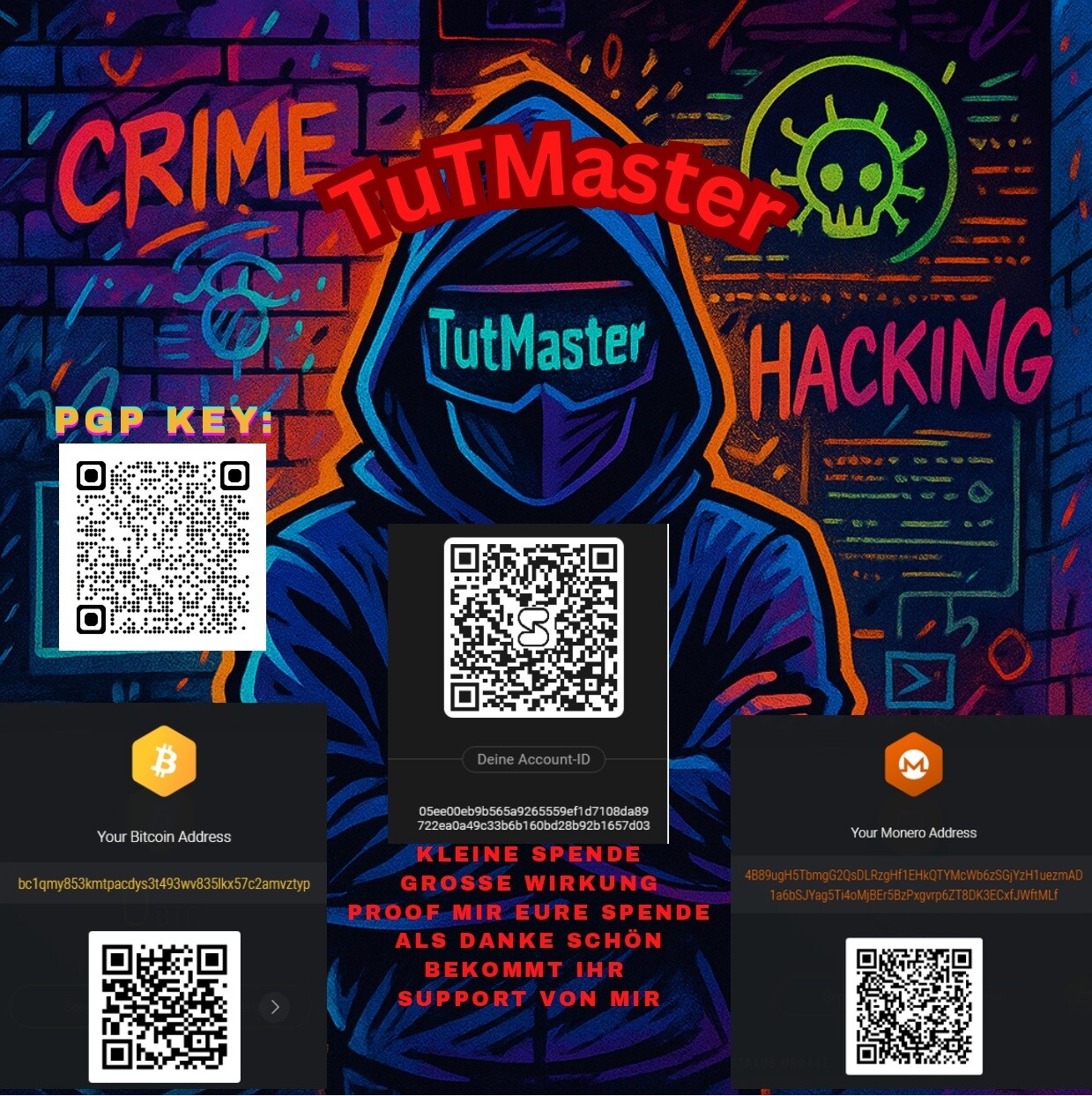
-
DrugsMegapack- eBook Sammlung for "FREE" Download link: Ordner: Also ein ‼️‼️‼️" LIKE "‼️‼️‼️ kann ich ja wohl von euch ‼️‼️"erwarten"‼️‼️ Ihr gibt mir ein‼️‼️ LIKE ‼️‼️und dafür stell ich nach und nach paar coole Sachen for ‼️‼️"FREE" ‼️‼️Online by TuTMaster Kontakt:
-
Hinweis: Für das Tutorial wurde die Version 5.11 verwendet. Spätere Versionen können daher abweichen. FREE/KOSTENLOS - Komplettguide für Tails OS by TuTMaster Inhaltsverzeichnis: 1) Was ist Tails? 2) Installation und erste Schritte 2.1) Installation auf USB-Stick 2.2) Tails starten 2.3) Persistent Store einrichten (Wichtig!) 2.4) TOR-Verbindung und TOR-Browser 3) KeePassXC (Passwortmanager) 3.1) Neue Datenbank erstellen 3.2) Neue Passwörter eintragen 3.3) Passwortgenerator 4) Kleopatra (PGP-Tool) 4.1) Neuer PGP-Key erzeugen 4.2) Public-Key exportieren 4.3) Public-Key importieren 4.4) Nachricht verschlüsseln/signieren 4.5) Nachricht entschlüsseln/Signatur prüfen 4.6) Datenbank aus GPG4USB importieren 5) OnionShare 5.1) Dateien versenden 5.2) Dateien empfangen 6) Weitere Software 6.1) Electrum (Wallet für BTC) 6.2) Feather (Wallet für XMR) 6.3) Bitmessage (Instant-Messenger) 6.4) Pidgin (Instant-Messenger) 6.5) Texteditor 6.6) Metadaten-Reiniger 1) Was ist Tails? Tails (“The Amnesic Incognito Live System”) ist eine Linux-Distribution, die primär auf Datenschutz ausgelegt ist. Kernstück ist TOR, aber sie enthält auf viele weitere Software, wie ein verschlüsselter Passwortmanager, ein PGP-Tool und vieles mehr. Im Grunde habt ihr (fast) alles, was ihr im DW benötigt. Zu den wichtigsten Features gehören: - Sämtlicher Datenverkehr läuft standardmäßig über TOR - Beim Löschen von Dateien werden sie standardmäßig 2 mal überschrieben (optional 38 mal) - Sämtliche privaten Dateien werden verschlüsselt - Alle Systemeinstellung werden beim Herunterfahren zurückgesetzt - Die MAC-Adresse (Seriennummer des Netzwerkadapters) wird standardmäßig manipuliert Des weiteren lässt sich Tails als Live-System auf einem USB-Stick installieren (was in diesem Tutorial beschrieben wird). Ihr müsst daher keine Software auf eurem PC installieren und könnt von jedem PC aus mit Tails und euren Daten arbeiten. Dadurch ergeben sich weitere Sicherheitsvorteile: - Es hinterlässt keine Spuren auf eurem PC - Jegliche Malware mit der euer Windows-System infiziert sein könnte wird gar nicht erst geladen - Sollte Tails eine Sicherheitslücke haben oder mit Malware infiziert sein, hat sie keinen Zugriff auf eure privaten Daten die ihr im Windows-System habt - Falls ungebetener Besuch erscheint, könnt ihr den USB-Stick einfach abziehen und verstecken. Der Rechner stürzt sofort ab und es sind keine Daten wiederherstellbar. Die Besucher müssten erst den USB-Stick finden und dann die Verschlüsselung knacken. 2) Installation und erste Schritte: 2.1) Installation auf USB-Stick Ihr benötigt: - Einen USB-Stick mit mindestens 8GB Speicher (Sofern ihr keine umfangreiche Pornosammlung speichern wollt, sind 16 GB mehr als ausrichen) - Einen PC mit Windows, MacOS oder Linux, um den USB-Stick zu beschreiben - Die Software balenaEtcher. Diese müsst ihr auf dem Rechner installieren. Ihr findet sie unter folgendem Link: https://tails.boum.org/install/windows/ … tml#etcher - Die aktuelle Version von Tail für USB-Sticks. Ihr findet sie unter folgendem Link: https://tails.boum.org/install/download/index.de.html Ihr könnt selbstverständlich auch Statt einem USB-Stick eine SD-Karte verwenden, eine zusätzlich Festplattenpartition einrichten oder eine interne SSD mit 2TB Kapazität einbauen. Habt ihr alles beschafft, steckt ihr den USB-Stick in den Rechner und öffnet balenaEtcher. Links klickt ihr auf “Flash from file“ und wählt die .img-Datei aus, die ihr runter geladen habt. Wollt ihr einen anderen USB-Stick auswählen, klickt ihr in der Mitte auf “Change“. Ist alles erledigt, müsst ihr nur noch auf “Flash“ klicken und wenige Minuten warten. Sobald es erledigt ist, erscheint die Meldung “Flash Complete“ und euer Windows-System zeigt eine Fehlermeldung für den USB-Stick an. Der USB-Stick ist nun einsatzbereit. 2.2) Tails starten Zunächst müsst ihr bei ausgeschaltetem Rechner den USB-Stick einstecken, den Power-Button drücken und das BIOS öffnen. Da jeder PC-Hersteller sein eigenes BIOS verwendet, müsst ihr eventuell googlen, wie ihr es öffnet. Bei den meisten Herstellern findet ihr es, indem ihr bevor das Windows-Logo erscheint (mehrmals) die Taste F2 drückt. Im Abschnitt “Boot“ oder “Boot Menu“ Findet ihr eine Liste, die auch den USB-Stick enthält. Ihr müsst ihn auf auf der Liste an die erste Position verschieben und das BIOS schließen. Bei einigen Herstellern habt ihr die Möglichkeit, anstatt das BIOS zu öffnen, direkt das Laufwerk auszuwählen. Nun wird Tails geladen und ihr seht den Startbildschirm. Nach Auswahl der Sprache könnt ihr Tails starten. Ich empfehle euch, vorher unter “Zusätzliche Einstellungen“ ein Administratorpasswort festzulegen. Dies ist zum einen Voraussetzung um zusätzliche Datenträger zu benutzen und erhöhrt auch die Sicherheit: Nachdem der PC für 5 Minuten nicht genutzt wird, wird er automatisch gesperrt und lässt sich nur mit dem Administratorpasswort entsperren. Nun seht ihr den Desktop. 2.3) Persistent Store einrichten (Wichtig!) Der Persistent Store/Beständige Speicher ist ein verschlüsselter Ordner für eure Dateien, die ihr behalten wollt. Daten, die in anderen Ordnern gespeichert werden (wie “Bilder“ oder “Dokumente“] werden sie beim Herunterfahren automatisch gelöscht. Zum Einrichten klickt ihr oben auf “Anwendungen“ → “Systemwerkzeuge“ → “Beständiger Datenspeicher“. Nachdem ihr auf “Fortfahren“ geklickt habt, müsst ihr euch ein möglichst Sicheres Passwort ausdenken und eingeben. Hinweis: Solltet ihr dieses Passwort vergessen, sind eure Daten für immer verloren. Auch mit dem Administratorpasswort lassen sie sich nicht wiederherstellen! Im nächsten Schritt könnt ihr auswählen, welche Daten gespeichert werden sollen. Ich empfehle, alles auszuwählen. Habt ihr dies erledigt, findet ihr im Persönlichen Ordner bzw. oben unter “Orte“ einen Ordner Namens “Persistent“, dort könnt ihr eure Daten speichern. Es gibt einen weiteren Ordner namens “Tor Browser (persistent)“. Auf diesen Ordner hat der TOR-Browser Zugriff, beispielsweise um Bilder hochzuladen. Dadurch wird vermieden, das ihr versehentlich die falschen Daten hochlädt. Um den Persistent Store beim nächsten Hochfahren zu nutzen, müsst ihr im Startbildschirm im Feld “Beständiger Datenspeicher“ das Passwort eingeben, auf “Entsperren“ klicken und dann auf “Tails starten“. 2.4) TOR-Verbindung und TOR-Browser Sobald euer Rechner eine Internetverbindung hat, öffnet sich automatisch ein Fenster, bei dem ihr die Verbindung auswählen könnt. Ihr müsst “Verbinde mit Tor automatisch“ auswählen und auf “Mit Tor verbinden“ klicken. Nach kurzer Zeit könnt ihr den TOR-Browser öffnen. Eine TOR-Brücke braucht ihr nur, wenn ihr an einem Hotspot oder in einem Land seid, das TOR blockiert. Wie ihr den TOR-Browser benutzt, solltet ihr ja wissen. 3) KeePassXC (Passwortmanager) Ihr findet es oben unter “Anwendungen“ → “Zubehör“ → “KeePassXC“. Mit KeePassXC könnt ihr eure Passwörter für Webseiten und Wallets sicher in einer separaten Datei verwahren. Der Vorteil gegenüber einer .txt-Datei ist die zusätzliche Verschlüsselung, die Tatsache, das die Datei einer gewissen Inaktivität automatisch geschlossen wird und das ihr sie auf ein anderes System übertragen könnt, ohne sie zu entschlüsseln. 3.1) Neue Datenbank erstellen Zuerst müsst ihr auf “Neue Datenbank erstellen“ und einen Namen aussuchen. Im nächsten Schritt müsst ihr auswählen, wie stark sie verschlüsselt werden soll. Ich empfehle euch, den Regler ganz nach Rechts auf 5.0 s zu schieben, um die Sicherheit optimal zu erhöhen. Danach müsst ihr ein möglichst sicheres Passwort aussuchen und aussuchen, wo die Datenbank gespeichert wird. Wichtig ist, das diese Datenbank im Persistent Store gespeichert wird und ihr die .kdbx-Datei keinesfalls löscht. Nun seht ihr eure Datenbank. 3.2) Neue Passwörter eintragen Mit klick auf “Neuen Eintrag hinzufügen“ gelangt ihr zu einem Formular. Ihr könnt neben Username, Url und Passwort auch eine Notiz hinzufügen und ein Ablaufdatum festlegen, damit sich die Daten selbst löschen. Habt ihr das erledigt, könnt ihr mit klick auf das durchgestrichenen Auge das Passwort anzeigen lassen und mit STRG+A und STRG+C in die Zwischenablage kopieren. Standardmäßig habt ihr 10 Sekunden Zeit, bevor die Zwischenablage wieder automatisch geleert wird. 3.3) Passwortgenerator Wenn euch die Ideen für neue Passwörter ausgehen, könnt ihr einfach oben auf “Passwortgenerator“ klicken und euch ein zufälliges Passwort generieren lassen. Ihr könnt eine Länge von bis zu 128 Zeichen auswählen und zwischen Großschreibung, Kleinschreibung, Zahlen, Sonderzeichen und erweitertes ASCII auswählen. Unter “Fortgeschritten“ könnt ihr auch bestimmte Zeichen oder doppelte Zeichen ausschließen. 4) Kleopatra (PGP-Tool) Ihr findet es oben unter “Anwendungen“ → “Zubehör“ → “Kleopatra“. 4.1) Neuer PGP-Key erzeugen Um einen neuen Key zu erstellen, klickt ihr oben auf “Datei“ → “Neues Schlüsselpaar“ und im nächsten Schritt “Persönliches OpenPGP-Schlüsselpaar erstellen“. Nun müsst ihr einen Namen und Optional eine E-Mailadresse eingeben. Unter “Erweiterte Einstellung“ könnt ihr das Ablaufdatum ändern oder deaktivieren (standardmäßig sind die Keys nur 2 Jahre lang gültig, bevor ihr sie manuell verlängern müsst). Habt ihr das erledigt, könnt ihr im nächsten Schritt ein Passwort festlegen (was ich auch dringend empfehle, falls er in die falschen Hände geraten sollte) und schon ist euer Key fertig. 4.2) Public-Key exportieren Wenn ihr in der Liste der Keys einen Rechtsklick auf euren Key macht und dann auf “Details“ klickt, öffnet sich ein neues Fenster mit den Daten des Keys. Mit Klick auf “Exportieren“ wird der Key als Text angezeigt. Ihr könnt ihn nun STRG+A und STRG+C in die Zwischenablage kopieren und auf der entsprechenden Webseite oder einer Nachricht einfügen, damit ihr verschlüsselte Nachrichten empfangen könnt. 4.3) Public-Key importieren Um jemand eine verschlüsselte Nachricht senden zu können, müsst ihr seinen Public-Key in eure Datenbank aufnehmen. Nachdem ihr ihn in die Zwischenablage kopiert habt, klickt ihr oben rechts auf “Notizblock“. Nun fügt ihr ihn mit STRG+V in das Textfeld ein und wenn es ein gültiger Key ist, könnt ihr oben auf “Notizblock importieren“ klicken. Im nächsten Schritt werdet ihr gefragt, ob ihr den Key beglaubigen möchtet. Da dies für eure Datenbank nicht notwendig ist, könnt ihr auf “Nein“ klicken. Nun ist der Key in eurer Datenbank gespeichert. 4.4) Nachricht verschlüsseln/signieren Um eine Nachricht zu verschlüsseln und/oder zu signieren öffnet ihr wieder den Notizblock und gebt eure Nachricht ein. Habt ihr dies getan, klickt ihr oben Rechts auf “Empfänger“ und habt folgende Auswahlmöglichkeiten: - Signieren als: Der Empfänger kann dadurch nachprüfen, ob die Nachricht auch von euch stammt und nicht manipuliert wurde. Dies ist sinnvoll, wenn ihr euren Gesprächspartner auf einem neuen Weg kontaktiert oder ihr bestimmte Daten, wie eine Walletadresse mitteilen wollt. - Für mich verschlüsseln: Wählt ihr dieses Feld nicht aus, könnt ihr als Absender die Nachricht nicht entschlüsseln. Nur der Empfänger kann es. - Für andere verschlüsseln: Ihr könnt beliebig viele Empfänger angeben, die diese Nachricht entschlüsseln können (das PM-System von Germania akzeptiert maximal 2 Empfänger). - Mit Passwort verschlüsseln: Statt eines Public-Keys, könnt ihr auch ein Passwort zum verschlüsseln verwenden. Jeder, der auch das von euch gewählte Passwort hat, kann die Nachricht entschlüsseln. Habt ihr dies erledigt klickt ihr oben Links auf “Notizblock Signieren/Verschlüsseln“ und nun wird euch die Nachricht verschlüsselt bzw. signiert angezeigt. Mit STRG+A und STRG+C könnt ihr sie in die Zwischenablage kopieren. 4.5) Nachricht entschlüsseln/Signatur prüfen Habt ihr eine verschlüsselte/signierte Nachricht bekommen, fügt ihr sie im Notizblock ein und klickt oben auf “Notizblock Entschlüsseln/Prüfen“. Nach Eingabe des optionalen Passworts, wird sie euch entschlüsselt dargestellt. Bei einer signierten Nachricht wird euch oben grün dargestellt, von wem die Nachricht signiert wurde. Sollte jedoch nur ein Zeichen nachträglich verändert werden, erhaltet ihr in rot die Meldung, das die Signatur ungültig ist. 4.6) Datenbank aus GPG4USB importieren Solltet ihr bisher GPG4USB genutzt haben, müsst ihr keine neuen Keys erstellen oder die Public-Keys eurer Gesprächspartner neu hinzufügen, sondern könnt die gesamte Datenbank übernehmen. Zuerst müsst ihr den gesamten Ordner namens “gpg4usb“ auf einen weiteren USB-Stick kopieren und dann in Persistent Store kopieren. Als nächstes Klickt ihr in Kleopatra oben links auf “Datei“ → “Importieren“. Nun müsst ihr euch zu folgendem Pfad durchklicken: “/home/amnesia/Persistent/gpg4usb/keydb“. Dort findet ihr folgende Dateien: - pubring.gpg - secring.gpg - trustdb.gpg Nun müsst ihr alle 3 Dateien auswählen und öffnen. Sämtliche Keys werden in Kleopatra übernommen. Danach könnt ihr den Ordner “gpg4usb“ im Persistent Store wieder löschen. 5) OnionShare Ihr findet es oben unter “Anwendungen“ → “Internet“ → “OnionShare“. Mit OnionShare könnt ihr unkompliziert Daten mit anderen über TOR austauschen, ohne sie per E-Mail zu versenden oder sich auf Hoster verlassen zu müssen. Denkt dran, das ihr mit fremden kommuniziert, die euch Malware unterschieben könnten 5.1) Dateien versenden Zum versenden von Dateien klickt ihr oben auf “Versende Dateien“, dann unten auf “Hinzufügen“ und wählt die Datei aus. Danach klickt ihr auf “Teilen beginnen“ und euch wird ein Link angezeigt, den ihr mit “Adresse kopieren“ und die Zwischenablage kopieren und weitergeben könnt. Der Empfänger kann diesen Link in den TOR-Browser einfügen und nach Bestätigung die Dateien runter laden. Hinweis: bis der Download abgeschlossen ist, muss der Rechner des Absenders online sein. Mit “Teilen beenden“ kann er es vorzeitig beenden. Sobald der Download abgeschlossen ist, wird die Verbindung automatisch getrennt 5.2) Dateien empfangen Ihr könnt OnionShare auch dazu verwenden, um auf diesen Weg Dateien zugeschickt zu bekommen. Zum empfangen von Dateien klickt ihr oben auf “Empfange Dateien“ und auf “Empfangen beginnen“ und euch wird ein Link angezeigt, den ihr mit “Adresse kopieren“ und die Zwischenablage kopieren und weitergeben könnt. Der Absender der Dateien kann diesen Link in den TOR-Browser einfügen und nach Bestätigung die Dateien hoch laden. Hinweis: bis der Upload abgeschlossen ist, muss der Rechner des Empfängers online sein. Mit “Empfangsmodus stoppen“ kann er es vorzeitig beenden. Die Dateien findet der Empfänger im Order “Downloads“. Vergesst nicht, sie in den Persistent Store zu kopieren. 6) Weitere Software 6.1) Electrum (Wallet für BTC) Ihr findet es oben unter “Anwendungen“ → “Internet“ → “Electrum Bitcoin Wallet“. Ich habe dafür ein gesondertes Tutorial geschrieben. Ihr findet es unter folgendem Link: https://cstate.to/topic/3627-kostenlos-free-tutorial-für-electrum-bitcoin-wallet/ 6.2) Feather (Wallet für XMR) Ich habe dafür ein gesondertes Tutorial geschrieben. Ihr findet es unter folgendem Link: https://cstate.to/topic/3628-freekostenlos-für-monero-tutorial-feather-wallet/ 6.3) Bitmessage (Instant-Messenger) LINK zum TUT wird noch folgen 6.4) Pidgin (Instant-Messenger) LINK zum TUT wird noch folgen ab PUNKT 3 fehlen noch BILDER werden Zeitnah hinzugefügt Fragen und Kommentare sind selbstverständlich willkommen. Ich freue mich über Anregungen, um das Tutorial zu erweitern. by TuTMaster das sollte jedem ein LIKE und sogar eine keine SPENDE wert sein!! Kontakt:
-
 Download Here: https://sitehunterus.blogspot.com/2025/12/free-unlimited-cpm-hotmailoutlookmsnliv.html VirusTotal https://www.virustotal.com/gui/file/0bdb5c111c187866dd3ad8c8924789863a35d0d6e81062d1da5717e6b2c665c9 Visit my Blogger list to download 100% free software https://www.freetoolss.com/ https://blackhat8.blogspot.com/ https://hack-crack9.blogspot.com/ https://hackernoons.blogspot.com/ https://sharetools99.blogspot.com/
 -
Download Here: https://sitehunterus.blogspot.com/2025/12/free-unlimited-cpm-hotmailoutlookmsnliv.html VirusTotal https://www.virustotal.com/gui/file/0bdb5c111c187866dd3ad8c8924789863a35d0d6e81062d1da5717e6b2c665c9 Visit my Blogger list to download 100% free software https://www.freetoolss.com/ https://blackhat8.blogspot.com/ https://hack-crack9.blogspot.com/ https://hackernoons.blogspot.com/ https://sharetools99.blogspot.com/ https://i.imgur.com/SJ6msFo.png
-
 Free fresh GPT, IPTV, Google, Gdrive, Steam, Game, VPN, Discord, Telegram, Mega, etc Free fresh 10+ billions GPT, IPTV, Google, Gdrive, Steam, Game, VPN, Discord, Telegram, Mega, etc databases in our telegram bot. For got databases please use direct link or send /start to bot, select gifts in bot menu, select category ulp-databases, net-archives, ncloud-archives and click to database. 262 millions fresh database from crypto traffic: 10+ billions ULP fresh database from finance, news, soft traffic: Many other databases in our bot, please subscribe on bot and got fresh databases every day:
 -
It's being some time since i gave something back to community. I am still in learning of c# code and i decide to take some dive into KeyLogger programming. This tool took me around 6h to code. some function could be definitely coded better and there are still some bugs i need to investigate but for testing purposes its fine. Here’s a high-level overview of the functionalities provided by the code: I am using MaterialSkin for this tool since ootb framework in visual studio is not that pleasing... Dynamic Assembly Name and Attributes: Randomized names and attributes (like, title, description, version) are generated for the compiled executable using predefined adjective and noun arrays. Here i used believable names not just random strings. These attributes are included as assembly metadata for the generated executable. Input Handling for SMTP Configuration: User-provided inputs such as SMTP server, email credentials, recipient email, and a time interval are collected via textboxes. These values are dynamically replaced in the source code template. I am using default SMTP port 587. Source Code Augmentation: Necessary assembly attributes (like, version, company, product). They are also randomly generated from pool of predefined wordlist and later on used in compilation. Code Compilation: The application compiles the modified source code which is stored within tool itself, into an executable file dynamically using the CSharpCodeProvider class. Compiler parameters include settings for a Windows executable target, x86 platform, and external assemblies required by the generated code. So yea, its 32bit application with .net 4.5 dependency. Executable Generation: A unique name for the executable is generated dynamically (like, BrightFox123.exe). The compiled executable incorporates the user-provided SMTP settings and dynamically generated assembly. Generated stub has only around 9-10kb ! Current detection is 3/38 on kleenscan https://kleenscan.com/scan_result/f4d99d...b6b0b66c7d Tool is protected with VMProtect against reverse engineering. For generated executable you can use ILSpy to check the source code, its not protected at all and free for viewing. Feel free to test it out and if you find bugs please report them back to me, i will try to fix it in next release. Download LINK: https://mega.nz/file/sY5F0ZYZ#_3j2t4DfwP...GWKfN_LWvk Pass for zip is Base64 encoded: UE9DRGFya1RlcnJvcktMRw== Some Screenshots Grundsätzlich gilt: Virusscan und VM ist euer Freund. Da die meisten geuppten Tools Stealer, Rats, Bots etc. sind wird fast jedes AV eine Warnmeldung abgebeben. Das ist bei diesen Programmen normal, macht die Sache abr für Abfänger nicht besser! Darum immer eine VM (https://www.heise.de/download/product/virtualbox-40385) nutzen. Btw: Die Tools sind nicht von mir! Wie sagt man so schön: Das ist alles nur geklaut und gestohlen, nur gezogen und geraubt. Entschuldigung, das hab ich mir erlaubt.
-
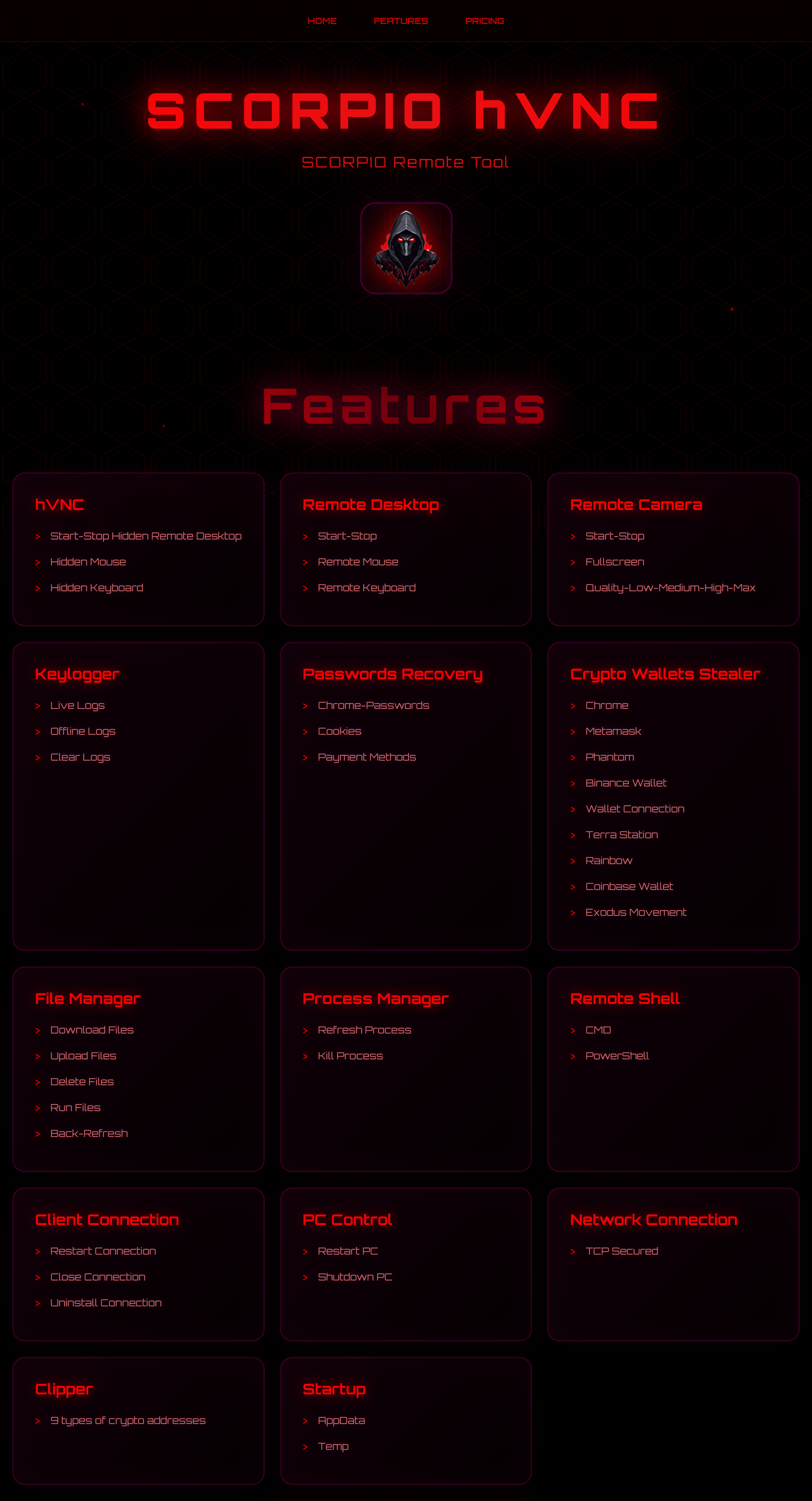
Anonymous VPS https://darkvps.pro Free Version https://scorpiocrypter.cc/ScorpioReleased.rar Password: Scorpio Quick Review of Scorpio RAT free Version: https://scorpio-software.com/Scorpio.mp4
-
EspanaKrypt = FREE Crypter & Builder Ready to Use AND C++ Source Code = Starter Kit EspañaKrypt - Free Crypter Ready to use program to crypt your PE! By opening the spoiler below, you are agreeing that you will never use this tool for any illegal purpose, and only for educational, research, or personal use on your own devices. Code https://www.mediafire.com/file/9sm2qtq1y4mg36b/EK-Release-0.0.1.zip/file or use: https://github.com/LNodesL/EspanaKrypt/blob/main/dist/EK-Release-0.0.1.zip NOTE: These compiled versions work for x64, not 32-bit! I am working on Espana-32 which is intended to protect 32-bit programs with an x86 builder. This current version EspanaKrypt is a 64-bit builder with x64 PE file support only. Drag & Drop any file onto EspanaKrypt.exe in File Explorer Drag & drop any valid PE into EspanaKrypt.exe in your file explorer to crypt the file. For testing, the helloworld.exe file has been provided to you. A terminal window will appear with a log of information. Upon success, your original PE has been encrypted and is ready. Press Enter to continue & close the terminal window. Galleon.exe will be created for you, which is the final program. Opening this will also open your original PE that you dropped into EspañaKrypt in the first step. Dont want to drag & drop? Use the Command Line Interface instead! You may use EspañaKrypt CLI like so: Code ./EspanaKrypt.exe originalProgram.exe Grundsätzlich gilt: Virusscan und VM ist euer Freund. Da die meisten geuppten Tools Stealer, Rats, Bots etc. sind wird fast jedes AV eine Warnmeldung abgebeben. Das ist bei diesen Programmen normal, macht die Sache abr für Anfänger nicht besser! Darum immer eine VM (https://www.heise.de/download/product/virtualbox-40385) nutzen. Btw: Die Tools sind nicht von mir! Wie sagt man so schön: Das ist alles nur geklaut und gestohlen, nur gezogen und geraubt. Entschuldigung, das hab ich mir erlaubt.
-
Hier poste ich immer mal wieder free stuff für die comunity Ich Starte mit ein Parr Free Phised ELVs https://temp.pm/?zv8K9x12D0251Z1xaAEBRb4FN-3-jirC709hAKxb7L34Wg82TCfiu-N https://temp.pm/?kVD3SC18kk2i5y5HgI35k4l56-3-xJ4qsib8QE8gQ6190LEDPV4w0-N https://temp.pm/?c11W28d0DvgYpRxJJD6pVs2K1-3-6p91B2MFw3h6WtWdM6C81KM4u-N
-
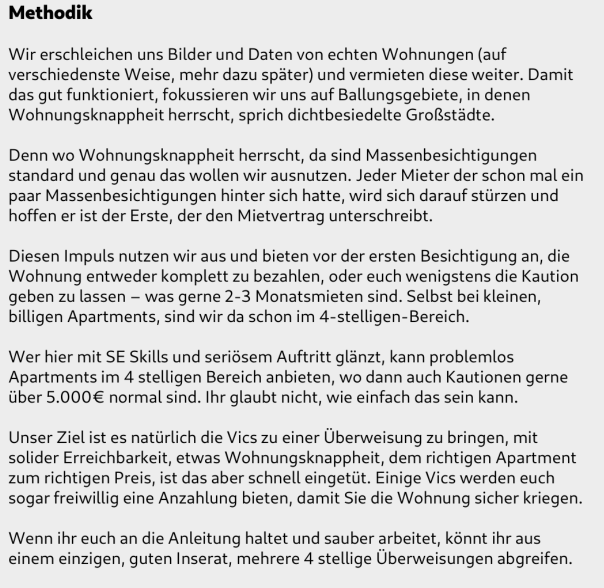
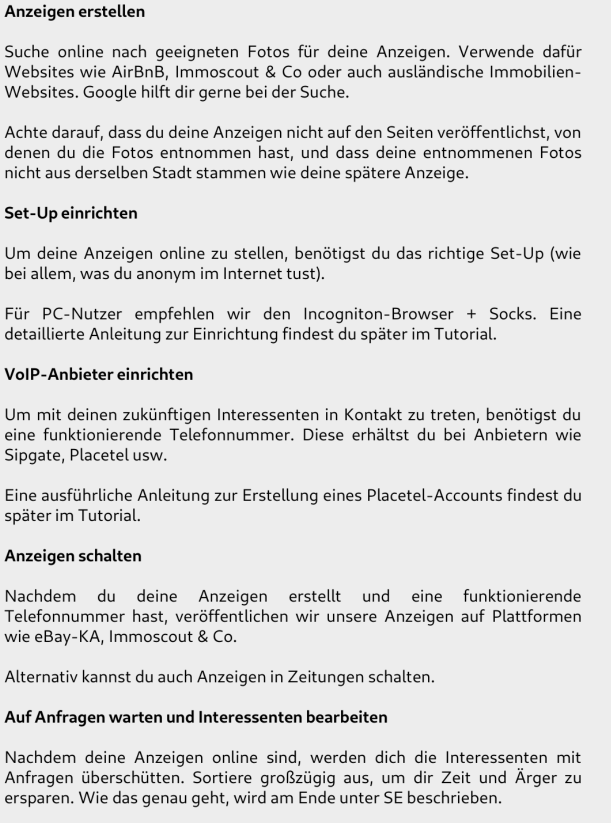
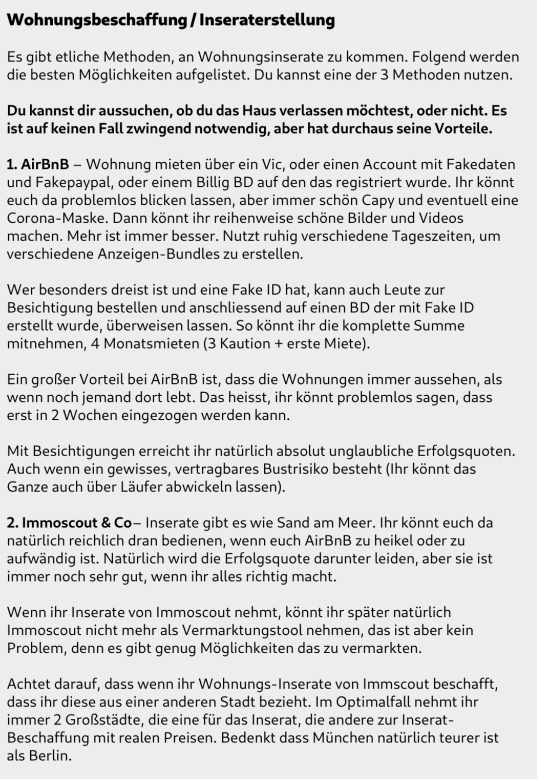
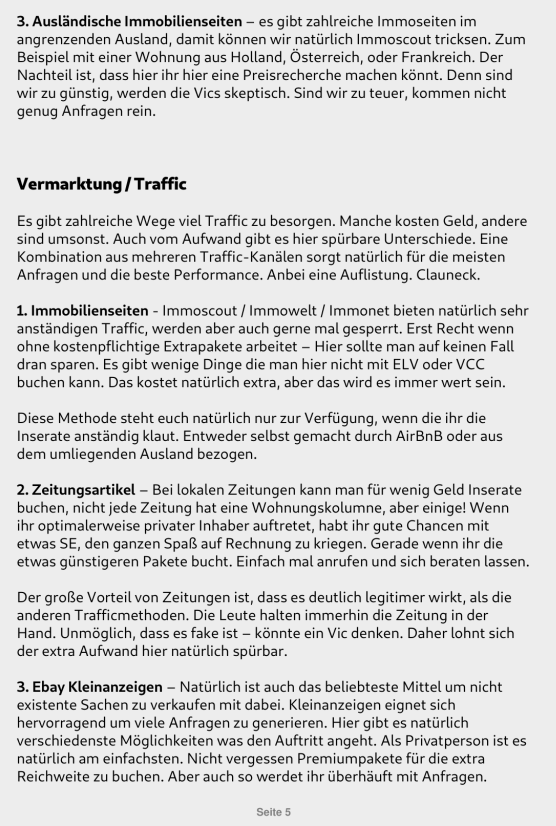
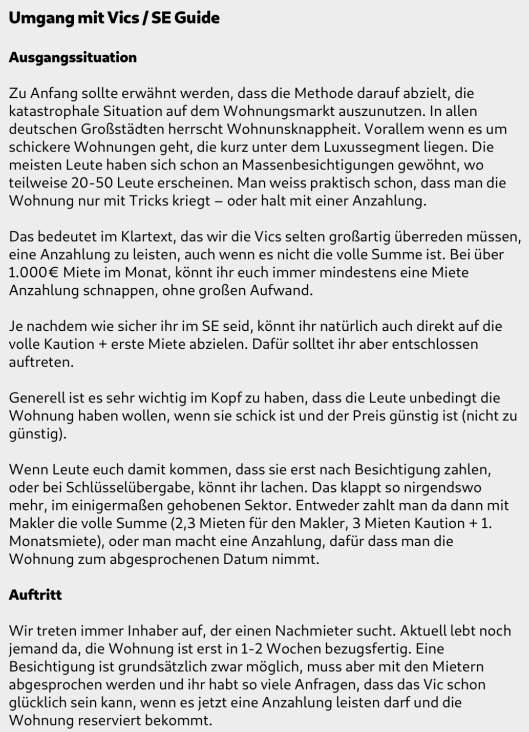
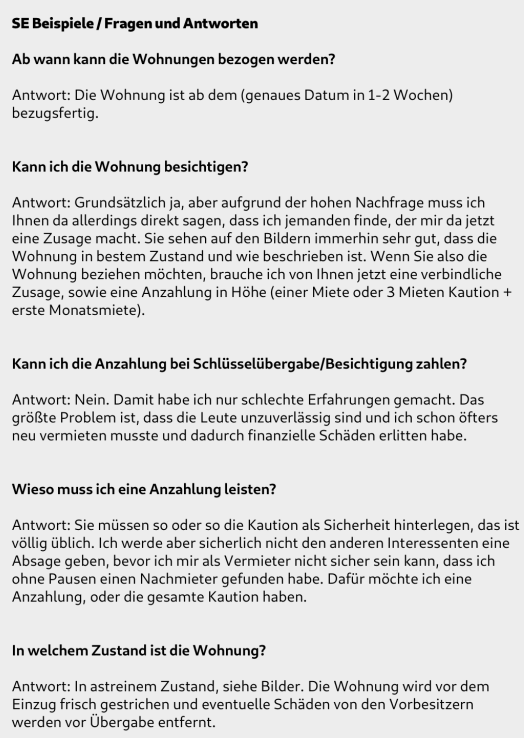
 Vermieter Methode for free Die Methode ist schon etwas älter und einige technische Aspekte haben sich geändert, jedoch bleibt sie ein guter Denkanstoß für Anfänger. Antwortet unter dem Thread gerne mit weiteren Denkanstößen und euren Gedanken zum Thema. https://www.xup.in/dl,70312874/VermieterMethode-Finale-01save.pdf/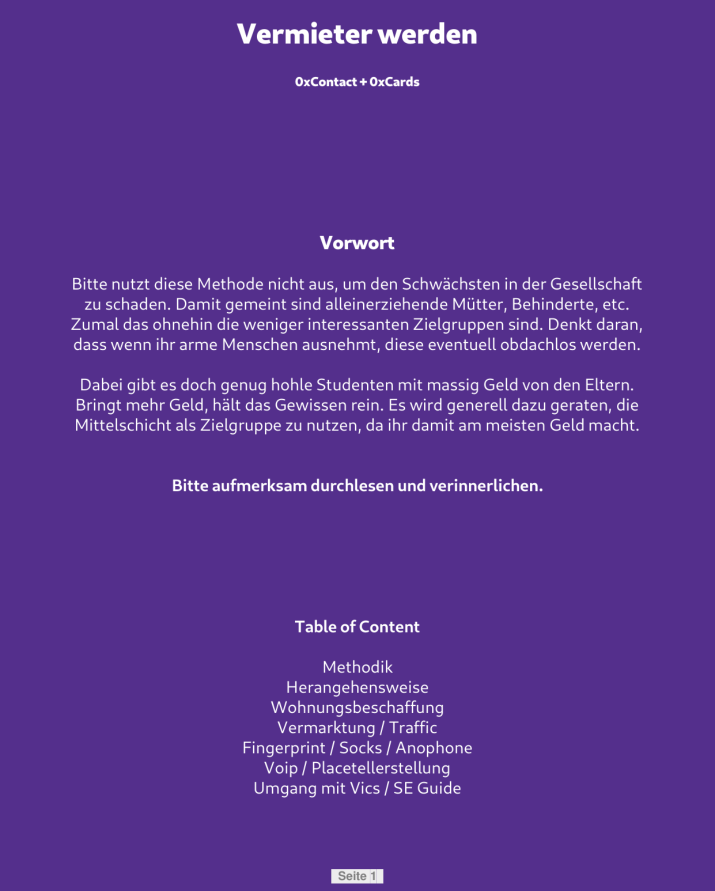
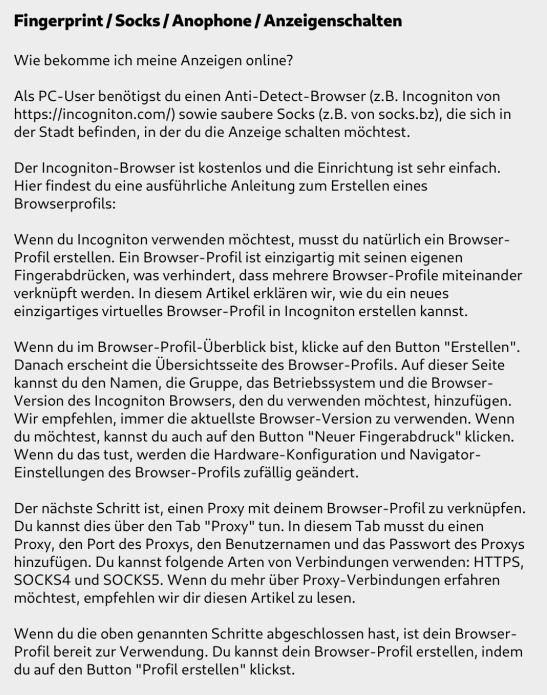
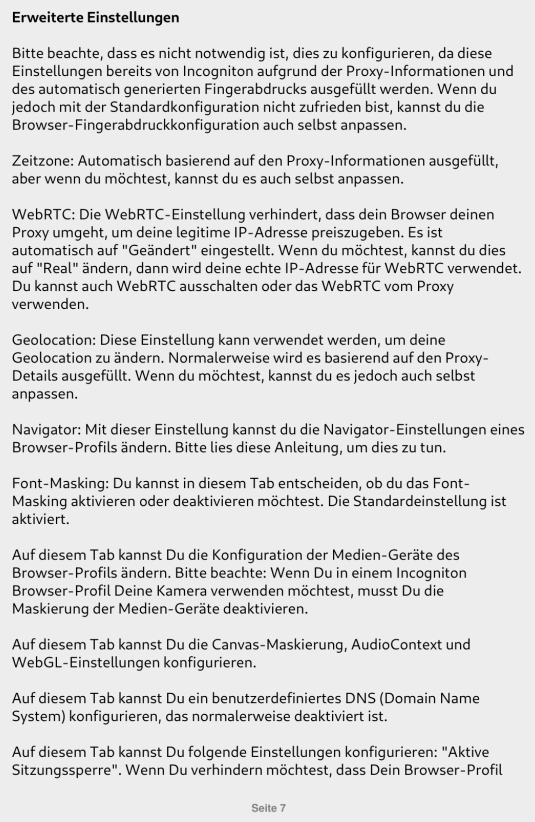
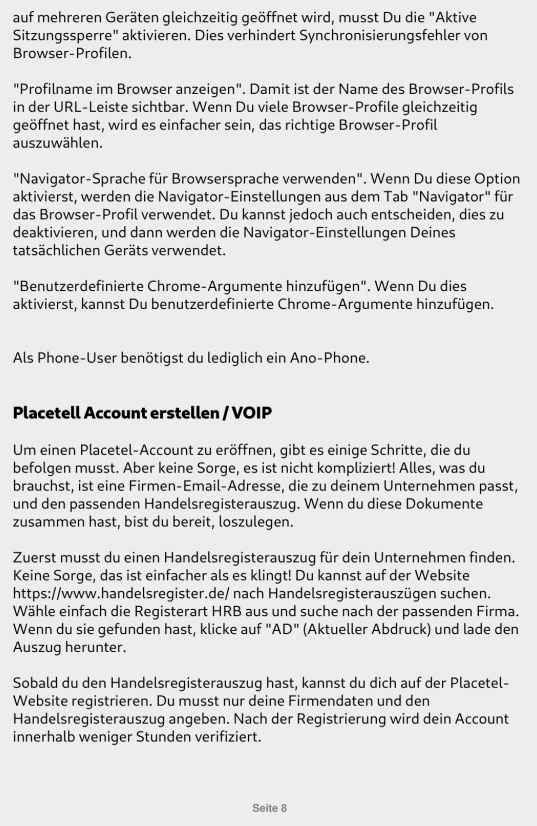
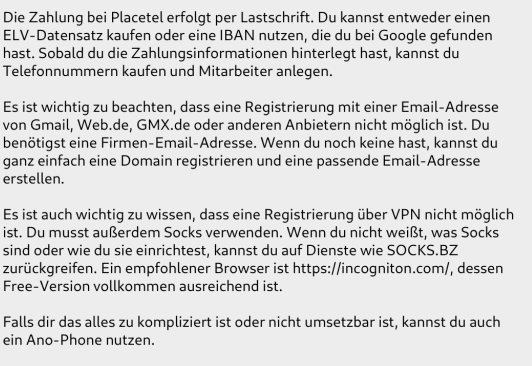
-
Was wird benötigt E-Mail Telefonnummer (activation oder rental) Proxys Antidetect Browser 2FA Authenticator Meine Empfehlungen: E-Mail Adressen GMX nutzten und auf Top Upgraden, das geht kinderleicht mit random ELVs, dort könnt ihr 49 unteradressen anlegen und braucht nicht immer mühsam neue Mails erstellen. Telefonnummern würde ich activations nehmen, hier gibt es viele bekannte Anbieter (sms-activate, anosim usw..) - rental ist seit Einführung von 2FA bei PayPal nicht mehr nötig. Proxys würde ich 911proxy.com empfehlen, Preisleistung ist top, schnell sind die auch und haben bis jetzt auch immer funktioniert. Antidetect Browser empfehle ich Linkensphere oder Dolphin, alternativ kann man aber auch Firefox Portable nutzen. 2FA Auth: Google Authenticator, bei massig PayPals hat man eine Suchfunktion. Durchführung 1. Ein neues Antidetect Profil erstellen, Proxy hinzufügen und starten alternativ: Firefox Portable mit einem Proxy Addon starten, z.b. FoxyProxy 2. Auf paypal.de gehen und ganz normal die registration starten. Die ausgewählten Daten können ruhig random sein und müssen auf keine echten ELVs zugeschnitten sein. Ihr gebt also Name+D.o.B. ein, danach geht es dann mit der Adresse weiter. Hier einfach einen Buchstaben eintippen und Google eine Adresse vorschlagen lassen (ist dann in Proxynähe) 3. Sobald euer PayPal nun registriert ist müsst ihr die Mail bestätigen, ich gehe dafür ganz gerne auf Einstellungen, dann kommt ein Popup und ihr könnt die Mail per Mailcode bestätigen. Wenn ihr den Link zur aktivierung nutzt der automatisch kommt müsst ihr euch neu einloggen. Problem wäre bei activations dass ihr hier nun einen weiteren Code anfordern müsst, was viele Anbieter aber nicht machen. 4. Der PayPal ist fertig braucht nun aber noch einen Feinschliff. Ihr geht nun auf Einstellungen -> Sicherheit -> 2FA und aktiviert dieses als erstes. Sobald dies geschehen ist müsst ihr noch eine IBAN+CC hinzufügen, diese müssen nicht bestätigt werden und auch nicht echt sein. Hierfür gibts auch viele free Seiten, beispiel: fakeit.receivefreesms.co.uk 5. Der PayPal ist nun fast einsatzfähig. Nun muss er nach aktuellem AFS stand noch 3 Tage agen (genau 3 Tage!), sonst bekommen die Vics einen Fraud Lock und PayPal wird die Zahlung nicht zulassen. Mit diesen PayPals könnt ihr nun 999€ pro Payment oder 2.500€ pro Quartal empfangen.
-
FREE NON VBV VCC + BIN BIN:431297 VCC: https://pasted.pw/view.php?id=121970 Bank: CHASE BANK USA, N.A. Type: VISA|DEBIT|CLASSIC ➖➖➖➖➖➖➖➖➖➖➖➖➖➖➖➖➖➖➖➖➖➖➖➖➖➖➖➖➖➖➖➖ I wanna start doing a lot more like these if you need something specific please write in comment below. ich möchte anfangen viel mehr von solchen sachen zu machen wenn ihr etwas bestimmtes braucht schreibt es mir bitte unten in die kommentare
-
[FREE] Silent XMR Miner | Windows 10/11 | Many features Kostenlose Version meines stillen XMR-Miners – sie ermöglicht es Nutzern, die Software zu testen und sich damit vertraut zu machen. Funktionen: Watchdog – Ein separater Prozess, der den Miner überwacht und ihn automatisch neu startet. Stealth Mining – Das Mining wird pausiert, wenn der Nutzer ein Prozessüberwachungstool geöffnet hat. Idle Mining – Die Ressourcennutzung wird dynamisch angepasst, wenn der Nutzer inaktiv ist. Remote-Konfiguration – Miner können aktualisiert werden, ohne sie neu erstellen zu müssen. Zum Autostart hinzufügen – Der Miner bleibt bestehen und startet automatisch beim Hochfahren des Systems. Selbstlöschung – Die EXE-Datei löscht sich automatisch, nachdem der Miner gestartet wurde. Stealth bei Vollbild – Der Miner pausiert vorübergehend, wenn der Nutzer eine Anwendung im Vollbildmodus verwendet (ideal z. B. beim Gaming). Dieses Projekt verwendet eine angepasste Version von xmrig; der vollständige Quellcode dafür ist im GitHub-Repository verfügbar. Verfügbar auf GitLab. Grundsätzlich gilt: Virusscan und VM ist euer Freund. Da die meisten geuppten Tools Stealer, Rats, Bots etc. sind wird fast jedes AV eine Warnmeldung abgebeben. Das ist bei diesen Programmen normal, macht die Sache abr für Anfänger nicht besser! Darum immer eine VM (https://www.heise.de/download/product/virtualbox-40385) nutzen. Btw: Die Tools sind nicht von mir! Wie sagt man so schön: Das ist alles nur geklaut und gestohlen, nur gezogen und geraubt. Entschuldigung, das hab ich mir erlaubt.